

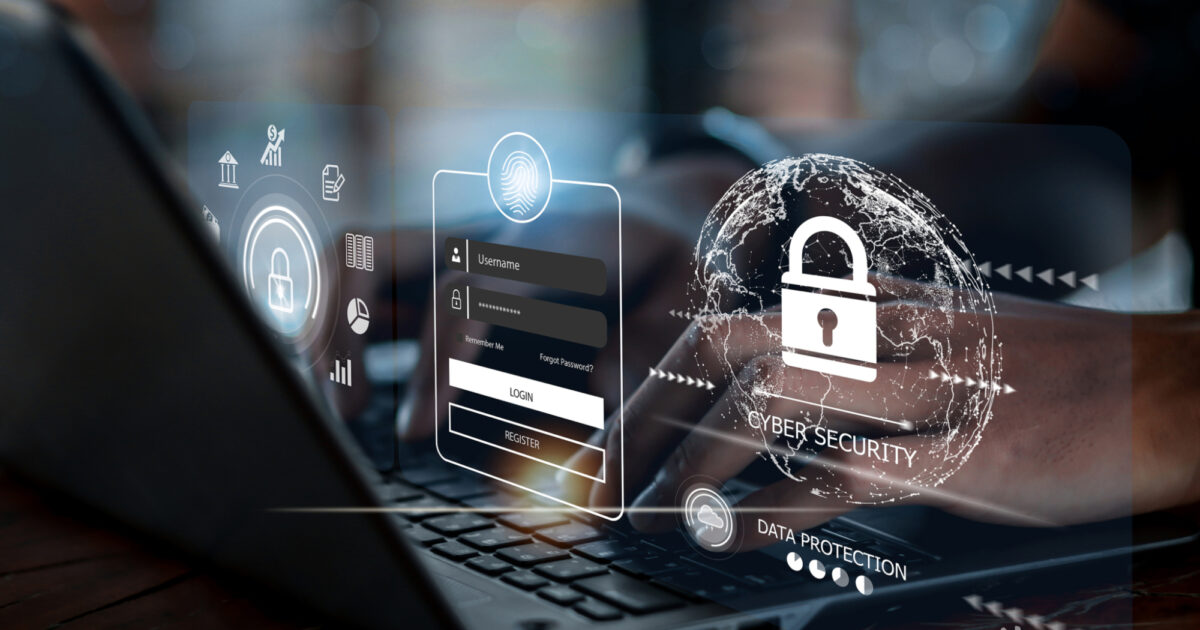
Digital technology has made communication, news consumption, online shopping, banking, and professional networking more convenient than ever. However, the increasing amount of personal information shared through digital platforms has also created new opportunities for cybercriminals. From fake messages and phishing emails to account takeovers and identity theft, online threats can affect anyone who uses the internet. Protecting a digital identity is no longer limited to technology experts; it is an essential responsibility for students, professionals, business owners, and everyday internet users. Understanding digital safety practices helps people enjoy the benefits of online services while reducing unnecessary risks.
In the modern digital environment, identity protection involves more than creating a strong password. It includes controlling what personal information is shared, recognizing suspicious communication, securing devices, reviewing account activity, and understanding how digital platforms collect and use information. The growing use of artificial intelligence has also made some scams more convincing, allowing fraudulent messages, impersonation attempts, and manipulated media to appear increasingly realistic. Readers exploring digital awareness through newsgiga com can use identity protection as an opportunity to understand these challenges and develop safer online habits. A thoughtful approach to digital security can prevent many common problems before they become serious.
Understanding Digital Identity and Why It Matters
A digital identity is the collection of information that represents a person across online services. It may include a name, email address, telephone number, profile photographs, usernames, login credentials, payment details, browsing activity, and information connected to professional or social accounts. Some information is deliberately shared, while other details are collected through cookies, applications, location permissions, and account activity. When these details are combined, they may reveal much more about a person than expected.
Digital identity becomes particularly valuable when criminals can use stolen information to impersonate someone, access private accounts, commit financial fraud, or deceive friends and colleagues. For example, an attacker who gains access to an email account may attempt to reset passwords for other services connected to that address. Similarly, a publicly available birthday combined with a telephone number and other personal details may help a criminal make a fraudulent request appear legitimate. These risks demonstrate why identity protection requires a combination of awareness, preventive measures, and regular monitoring.
The Difference Between Privacy and Security
Privacy and security are closely related, but they address different concerns. Privacy concerns how personal information is collected, shared, stored, and used. Security focuses on preventing unauthorized people from accessing or changing that information. A service might use encryption and secure login systems while still collecting more personal data than a user wants to share. Likewise, a person might carefully limit public information but remain vulnerable because an account uses a weak password.
Effective digital safety requires attention to both areas. Before joining a platform, users should consider whether the service genuinely needs the information it requests and whether its privacy settings offer meaningful control. They should also examine account security features, including multifactor authentication, login alerts, and recovery options. Understanding this distinction helps people make better decisions rather than assuming that a popular platform automatically guarantees complete privacy.
Common Online Identity Threats in 2026
Cyber threats continue to evolve as digital services and criminal techniques become more sophisticated. Phishing remains a significant concern because it attempts to manipulate people into revealing passwords, payment information, verification codes, or other sensitive details. Such attacks may arrive through email, text messages, social media, messaging applications, or fraudulent websites. A message claiming that an account will be suspended unless the recipient acts immediately is a common example of pressure-based manipulation.
Artificial intelligence has introduced additional challenges. Criminals may use AI tools to generate convincing messages, imitate writing styles, create misleading images, or produce synthetic audio. In some cases, impersonation attempts may appear to come from a manager, family member, customer support representative, or financial institution. These techniques make it increasingly important to verify unusual requests through a separate, trusted communication channel instead of relying only on a familiar name, photograph, or voice.
Another concern is credential stuffing, in which attackers try passwords exposed in one data breach against other services. People who reuse passwords across multiple accounts are particularly vulnerable because a single compromised credential may expose several services. Public Wi-Fi risks, malicious applications, fraudulent QR codes, and insecure devices can create additional opportunities for unauthorized access. Recognizing these threats is the first step toward choosing practical protections.
Creating Stronger Passwords and Safer Login Habits
Passwords remain a fundamental part of account security, but their effectiveness depends on how they are created and managed. Short, predictable passwords based on names, birthdays, familiar phrases, or simple number sequences are easier to guess. Reusing the same password across email, shopping, banking, and social media accounts also increases the consequences of a security breach. A strong password should be long, difficult to predict, and unique to the account it protects.
A reputable password manager can help users generate and store different passwords without requiring them to memorize every credential. When available, passkeys offer another useful option by allowing authentication through supported device-based credentials, often with a fingerprint, facial recognition, or device PIN. Passkeys can reduce exposure to traditional password phishing because they are designed to work with the legitimate service rather than a fraudulent imitation. Users should still protect their devices and account recovery methods carefully.
Multifactor authentication adds another layer of protection by requiring an additional verification step beyond a password. Authentication applications, hardware security keys, and passkeys can offer stronger protection than passwords alone. Text-message verification may still be useful where stronger alternatives are unavailable, although it can be vulnerable to certain attacks, including SIM swapping. Users should never share one-time verification codes with someone who contacts them unexpectedly, even if that person claims to represent a trusted organization.
Practical Identity Protection Measures for Everyday Users
Digital safety becomes easier to maintain when protective habits are incorporated into daily routines. Users do not need advanced technical knowledge to reduce their exposure to common threats. They can begin by reviewing account settings, limiting unnecessary data sharing, updating devices, and learning to question unexpected requests. Small actions performed consistently can reduce the likelihood of account compromise and make suspicious activity easier to identify.
The following measures provide a practical starting point:
- Use unique passwords for important accounts and store them in a reputable password manager.
- Enable multifactor authentication or passkeys wherever supported.
- Install operating system, browser, and application security updates promptly.
- Review privacy settings and remove unnecessary application permissions.
- Avoid sharing verification codes, financial details, or sensitive documents in response to unsolicited requests.
These steps are most effective when applied across the entire digital environment rather than to one account alone. An email account deserves particular attention because it is often used to reset passwords for other services. Securing email first, followed by financial accounts, cloud storage, and social media profiles, creates a stronger foundation for broader identity protection.
How Social Media Can Affect Personal Identity
Social media platforms encourage people to share photographs, opinions, travel updates, professional achievements, and everyday experiences. Although these activities support communication and community building, excessive disclosure can reveal information that criminals may misuse. Public posts might expose a person’s workplace, regular schedule, family relationships, location, or upcoming travel plans. When combined with information from other sources, seemingly harmless details can support impersonation attempts or targeted scams.
Users should periodically review who can see their posts, contact them, tag them in photographs, or search for their profiles using telephone numbers and email addresses. Birthday details, home addresses, identification documents, and financial information should not be published unnecessarily. It is also sensible to avoid announcing that a home will remain empty for an extended period. For professional accounts, separating public business information from private personal details can reduce unwanted exposure without requiring users to abandon social media.
Fake profiles present another challenge. A criminal may copy a real person’s photograph and name to create an account that requests money, distributes malicious links, or contacts their friends. Before responding to unusual requests, users should verify the account through a separate communication channel. If an impersonation account appears, reporting it through the platform’s official process can help limit further harm.
Recognizing Phishing, Scams, and AI-Generated Impersonation
Phishing attacks often rely on urgency, fear, curiosity, or financial incentives. A fraudulent message might claim that a delivery has failed, a bank account requires immediate verification, or a prize is waiting to be collected. The objective is to persuade the recipient to click a link, open an attachment, disclose information, or transfer money before carefully considering the request. Grammatical errors can be warning signs, but polished language should not be treated as proof of legitimacy.
AI-generated content makes independent verification even more important. A voice message that sounds like a relative or a video that appears to show a familiar person may not be genuine. When a request involves money, confidential information, remote access, or an urgent change in payment details, users should pause and contact the person or organization using a previously verified telephone number or official application. They should not rely on the contact information supplied in the suspicious message itself.
A useful habit is to examine the request rather than focusing exclusively on its appearance. Ask whether the request is expected, whether it creates unusual pressure, and whether it asks for information the sender should already possess. Avoid downloading unexpected attachments or scanning unfamiliar QR codes without checking their source. Readers interested in digital awareness through newsgiga com can apply this verification mindset to news-related communication, online discussions, and other digital interactions where misleading information may circulate.
Protecting Personal Information on Public Wi-Fi
Public Wi-Fi is convenient in airports, hotels, cafés, libraries, and other shared spaces. However, users should not assume that every network displaying a familiar business name is legitimate. Attackers can create misleading network names or exploit poorly secured connections to target unsuspecting users. Even when a network is genuine, the security of the websites and applications being used remains important.
When connecting to public Wi-Fi, verify the network name with staff if necessary and keep device-sharing features disabled unless they are required. Use websites and applications that provide encrypted connections, and avoid ignoring browser security warnings. A trusted virtual private network may provide additional protection for network traffic, particularly on untrusted connections, but it does not prevent phishing, malware, or information voluntarily submitted to fraudulent services.
For sensitive tasks, users can consider using their mobile data connection instead of an unfamiliar public network. They should also avoid installing certificates, profiles, or applications merely because a public Wi-Fi login page requests them unexpectedly. After using a shared network, disconnect when it is no longer needed. These precautions are simple but valuable for people who frequently work, study, or manage personal accounts while travelling.
Digital Identity Protection: A Quick Comparison
Different security measures address different risks. Understanding their purposes helps users avoid relying too heavily on any single protective tool.
| Security measure | Main purpose | Recommended habit |
|---|---|---|
| Strong, unique passwords | Reduce unauthorized account access | Use a password manager |
| Multifactor authentication | Add verification beyond a password | Enable it on important accounts |
| Passkeys | Support phishing-resistant sign-in | Use them on compatible services |
| Privacy settings | Limit unnecessary personal exposure | Review them periodically |
| Software updates | Fix known security weaknesses | Install updates promptly |
| Account alerts | Identify unusual activity | Investigate unfamiliar logins |
| Data backups | Preserve important information | Maintain secure, separate copies |
No individual measure eliminates every digital threat. A password manager cannot stop someone from voluntarily sending money to a scammer, and multifactor authentication cannot correct excessive public sharing. A layered approach is therefore more reliable: combine secure authentication, cautious communication, updated devices, privacy awareness, and regular account reviews.
What to Do If Your Digital Identity Is Compromised
Even careful users may experience a data breach, phishing incident, stolen device, or unauthorized login. The most important response is to act quickly without allowing panic to lead to further mistakes. If an account appears compromised, use a trusted device to change its password and any reused passwords on other services. Secure the associated email account, terminate unfamiliar sessions, review recovery information, and enable stronger authentication where possible.
If financial information may have been exposed, contact the relevant bank or payment provider through its official application or a verified telephone number. Ask about blocking affected payment methods, reviewing suspicious transactions, and protecting the account from further misuse. If a telephone number suddenly loses service unexpectedly, contact the mobile provider through a verified channel because unauthorized SIM changes can be used to intercept verification messages.
People who suspect identity theft should preserve relevant evidence, including suspicious emails, transaction records, login alerts, and communication with the suspected attacker. Avoid deleting information that may be useful when reporting the incident. The next steps depend on the type of compromise and the country involved, but may include reporting the incident to the relevant cybercrime authority, credit reporting agency, or identity protection service.
The following response priorities can help organize the process:
- Secure compromised accounts and the email address used for password recovery.
- Contact banks or payment providers if financial details or transactions are affected.
- Revoke unfamiliar sessions, connected applications, and unauthorized recovery methods.
- Report the incident to the appropriate service provider and relevant authorities.
After immediate risks are addressed, review how the compromise occurred. A reused password, malicious attachment, fake login page, or excessive application permission may reveal what needs to change. Learning from the incident helps prevent similar problems in the future.
Building a Long-Term Digital Safety Routine
Digital protection works best as an ongoing process rather than a one-time activity. Threats change, new applications introduce different privacy settings, and old accounts may remain active long after users stop using them. A periodic security review can identify outdated recovery information, unnecessary connected applications, unused accounts, and suspicious login activity. Keeping devices updated and checking important account alerts should become routine responsibilities.
It is also useful to maintain secure backups of important personal documents, photographs, and work files. Backups should be protected against unauthorized access and kept separate from the devices they are intended to protect. This can reduce the damage caused by device loss, accidental deletion, ransomware, or hardware failure. Users should occasionally test whether their backups can actually be restored rather than assuming that a completed backup process guarantees recovery.
Families and workplaces can strengthen digital safety by discussing common scams and agreeing on verification procedures for unusual requests. For instance, a family might establish a simple process for confirming emergency money requests, while a business could require independent confirmation before changing supplier payment details. These procedures reduce dependence on instinct at moments when an attacker is applying pressure.
A Simple Monthly Security Check
Once a month, review the security of your most important accounts, check recent login activity, remove applications you no longer use, and confirm that recovery telephone numbers and email addresses remain accurate. Review social media privacy settings and make sure that important files have current backups. If a service reports a security incident, follow its official guidance and determine whether your credentials need to be changed.
This routine does not need to take hours. Even a short review can uncover unusual activity before it becomes a larger problem. People who follow digital safety discussions on newsgiga com can use these recurring checks as a foundation for developing more informed and consistent online habits.
Conclusion
Digital identity protection has become an essential part of participating safely in modern life. Personal information can be exposed through phishing, password reuse, fraudulent profiles, insecure networks, data breaches, and increasingly convincing AI-generated impersonation. Although these threats can appear complicated, many effective protections are straightforward: use unique passwords, enable stronger authentication, keep software updated, limit unnecessary sharing, and verify unusual requests independently. The most reliable approach combines technology with careful decision-making. Users should understand what information they disclose, question unexpected messages, monitor important accounts, and respond promptly when suspicious activity appears. They should also remember that no security tool guarantees complete protection, making regular reviews and layered safeguards particularly valuable.